OVHcloud Kubernetes Review: Europe's Quiet Powerhouse
Hands-on review of OVHcloud Managed Kubernetes. Free control plane, mature vRack networking, API IP restrictions, and solid OpenTofu support. Full breakdown with IaC code.
OVHcloud is one of Europe’s largest cloud providers, headquartered in France and operating data centers across Europe. They’ve been around since 1999 and have built a reputation for competitive pricing and data sovereignty - though not without scars. In March 2021, a fire destroyed their SBG2 data center in Strasbourg, taking down 120,000+ services and causing permanent data loss for customers who didn’t have off-site backups. It was a wake-up call for the entire industry. OVH responded with a hyper-resilience plan, rebuilt the site as SBG5 with proper fire compartmentalization, and made multi-AZ a first-class concept across their product line. You’ll notice their console prominently shows the AZ deployment mode on basically every resource - that’s not by accident.
I recently deployed a Managed Kubernetes cluster there and was pleasantly surprised: this is a mature, reliable offering that doesn’t get enough attention. Here’s my full breakdown.
What I Tested
- Control Plane: Free tier (managed by OVH)
- Nodes: 3x D2-8 (4 vCPU, 8 GB RAM, 50 GB NVMe SSD)
- Region: GRA9 (Gravelines, France), 1-AZ for this test
- Kubernetes Version: 1.34 (OVH supports 1.30-1.34, you choose at cluster creation)
- Networking: Private vRack with separate node and load balancer subnets
- Automation: OpenTofu with the official OVH provider
OVHcloud offers two cluster tiers: Free (1-AZ, shared control plane, 99.5% SLA) and Standard (3-AZ, dedicated control plane, 99.99% SLA target). I tested the Free tier to see how far you can get at zero control plane cost. For production with high availability requirements, the Standard plan gives you multi-AZ distribution.
Total estimated cost: ~€87.75/month (3x €25.92/node + €9.99 LoadBalancer). Control plane is free.
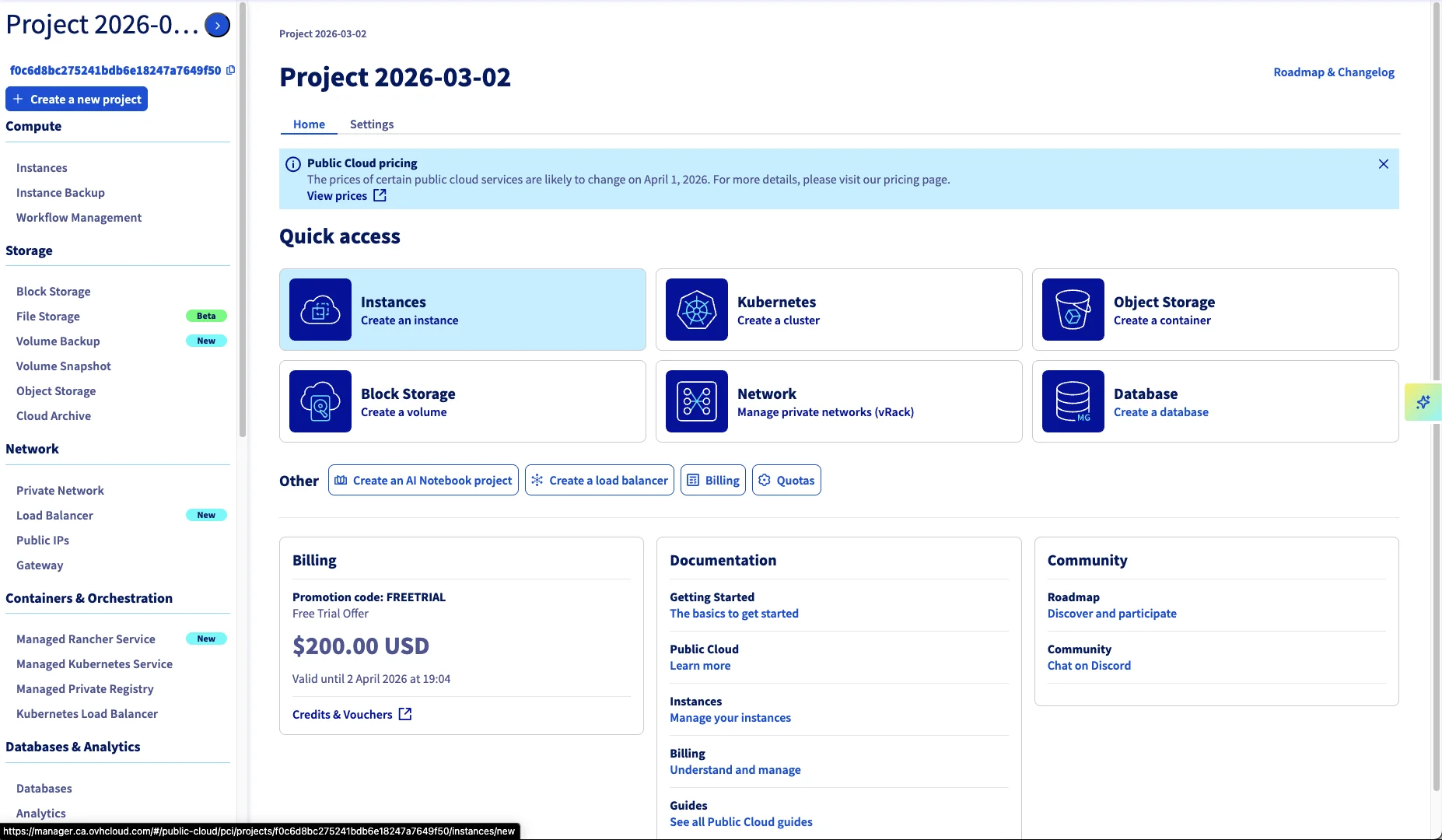
A note on the D2 flavor choice: OVHcloud gives you $200 free credit when you create a new Public Cloud project. The D2-8 nodes are their burstable tier - not what you’d pick for CPU-intensive production, but they let you run a proper 3-node HA cluster for roughly a month without spending a cent. I wanted to see how far the free tier goes, and the answer is: surprisingly far. For production, you’d step up to the B2 or C2 general-purpose flavors.
The cluster runs ArgoCD for GitOps, Velero for backups to OVH S3, Traefik as ingress, and IP-restricted API access - all provisioned through a single OpenTofu repo.
The Good
It Just Works
This is the headline. I provisioned the cluster, the nodes came up, the control plane was responsive, and everything worked as expected. No stuck provisioning, no mysterious errors, no support tickets needed. After testing providers like Infomaniak where nodes wouldn’t come up and storage topped out at 500 IOPS, OVHcloud was refreshingly boring - in the best way.
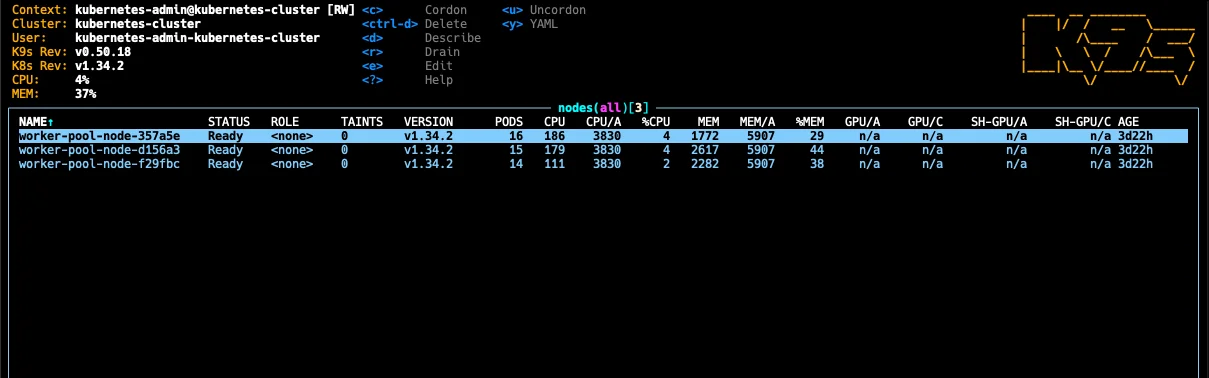
Three nodes, all Ready, running v1.34.2. That’s what I want to see.
Free Control Plane
OVHcloud doesn’t charge for the Kubernetes control plane. You only pay for worker nodes and add-on infrastructure (load balancers, storage). A D2-8 node (4 vCPU, 8 GB RAM, 50 GB NVMe) runs €25.92/month (€0.0355/hour), with the Octavia load balancer adding €9.99/month.
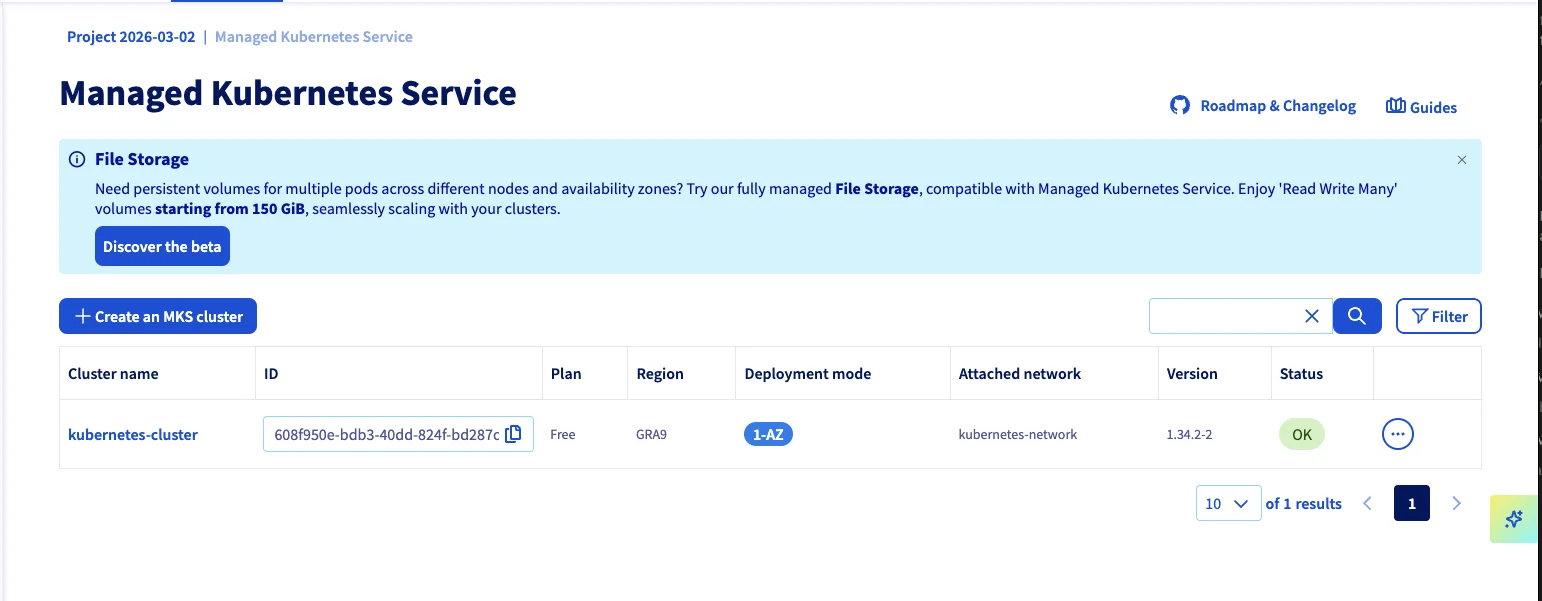
The console shows “Free” right there in the plan column. For comparison, that’s roughly half of what you’d pay for equivalent compute on most hyperscalers. See the full breakdown on our OVHcloud pricing page.
Proper Private Networking (vRack)
OVHcloud’s vRack technology gives you real private networking. You define separate subnets for nodes and load balancers, and traffic between nodes stays internal. This isn’t some overlay hack - it’s actual network isolation backed by OVH’s physical infrastructure.
In my setup, nodes live on 10.0.0.0/24 and load balancers on 10.0.1.0/24. The load balancer subnet needs a gateway so it can route public traffic, while the node subnet stays fully internal.
API Server IP Restrictions
OVHcloud doesn’t offer a built-in VPN like AWS PrivateLink. But they offer something arguably more pragmatic: API server IP restrictions.
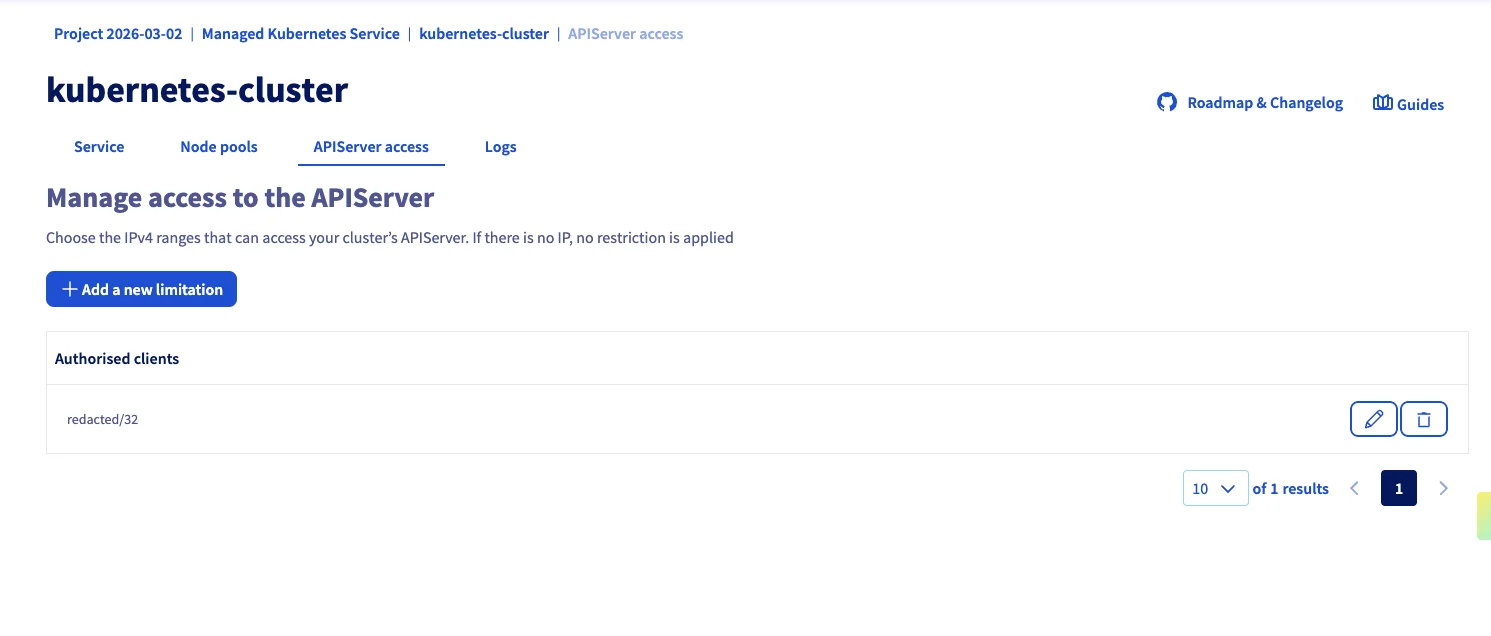
You define which CIDR ranges can talk to your Kubernetes API. Everyone else gets rejected. This is managed as a first-class Terraform resource (ovh_cloud_project_kube_iprestrictions), which means you can automate it and rotate IPs as needed.
Is it the same as a full VPN? No. But for many teams, it’s sufficient - and far simpler to manage. I’ve been running with this for weeks now and it works exactly as expected.
Excellent OpenTofu / Terraform Support
The official OVH Terraform provider is mature and well-maintained (v2.11 at time of writing). It covers clusters, node pools, networking, storage, IP restrictions, and user management. Combined with the Kubernetes and Helm providers, you can bootstrap an entire production-grade cluster from a single tofu apply.
Rich Storage Class Selection
OVHcloud comes with six pre-configured storage classes out of the box, all backed by Cinder (OpenStack’s block storage):
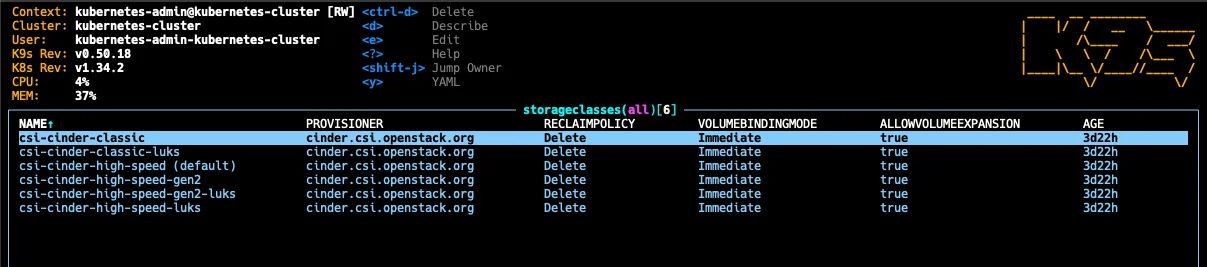
| Storage Class | Description |
|---|---|
| csi-cinder-classic | Standard block storage |
| csi-cinder-classic-luks | Standard with LUKS encryption |
| csi-cinder-high-speed (default) | NVMe-backed high-speed |
| csi-cinder-high-speed-gen2 | Next-gen NVMe storage |
| csi-cinder-high-speed-gen2-luks | Next-gen with LUKS encryption |
| csi-cinder-high-speed-luks | High-speed with LUKS encryption |
The LUKS-encrypted variants are a nice touch for compliance-sensitive workloads. No need to set up encryption at rest yourself - just pick the right storage class.
Integrated Load Balancing
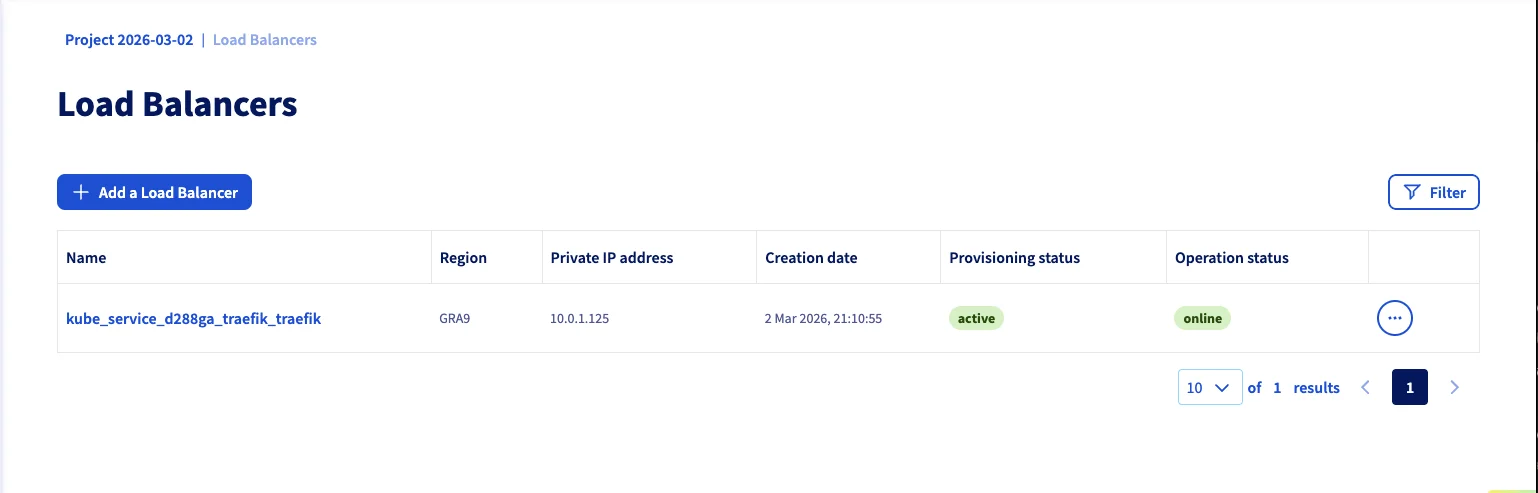
Deploying a LoadBalancer service (in my case Traefik) automatically provisions an OVH Octavia load balancer on the dedicated subnet. It showed up within minutes and has been rock-solid.
Free Egress (EU Regions)
This one caught me off guard because I’m used to hyperscaler pricing: OVHcloud doesn’t charge for outbound traffic in EU and North American regions. Zero. Unlimited. On AWS, egress costs add up fast - especially if you’re serving assets, running APIs, or shipping logs. On OVH, it’s included. Instance egress has been free for a long time, and as of January 2026, Object Storage egress is free too.
One caveat: this does not apply to APAC regions (Singapore, Sydney). Those regions include a monthly allowance (1 TB/month per project per datacenter) with charges beyond that. If you’re deploying in GRA, SBG, DE, or any EU/NA location, you’re good. Just don’t assume it’s universal if you’re considering OVH’s non-European regions.
Autoscaling Available
Node pool autoscaling is available and configurable via the OVH provider. I kept it disabled for this test (fixed 3 nodes to stay within the free credit), but you can set min_nodes / max_nodes on the node pool and OVH handles the scaling. The console shows autoscaling status per pool, so it’s a first-class feature, not an afterthought.
The Not-So-Good
No RWX Volumes Out of the Box
This is the biggest gap I hit. All pre-installed storage classes are Cinder-based, which means they’re ReadWriteOnce (RWO) only. If you need a volume mounted by multiple pods simultaneously (ReadWriteMany / RWX) - common for CMS platforms or any app with shared file uploads - you’re on your own.
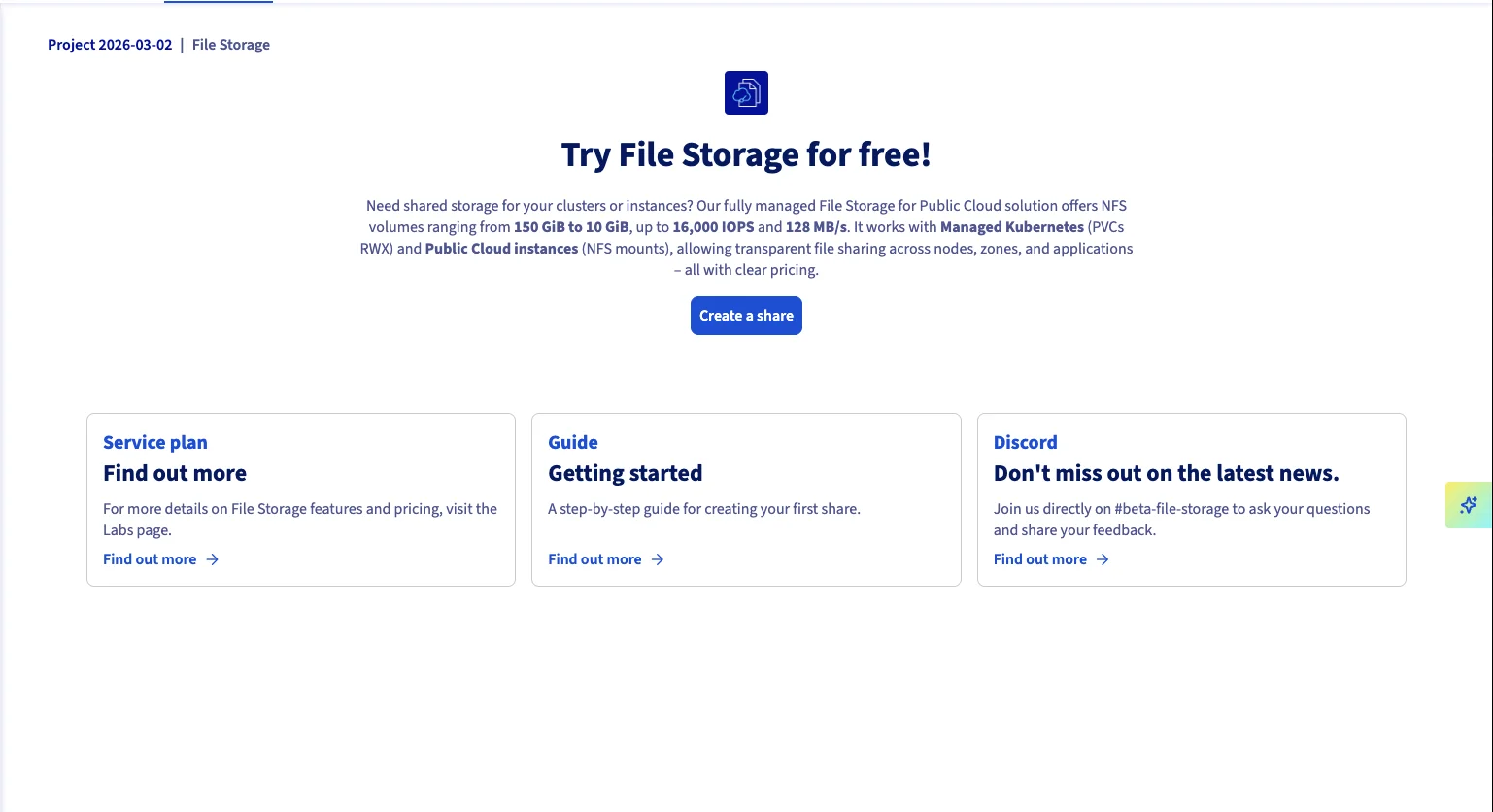
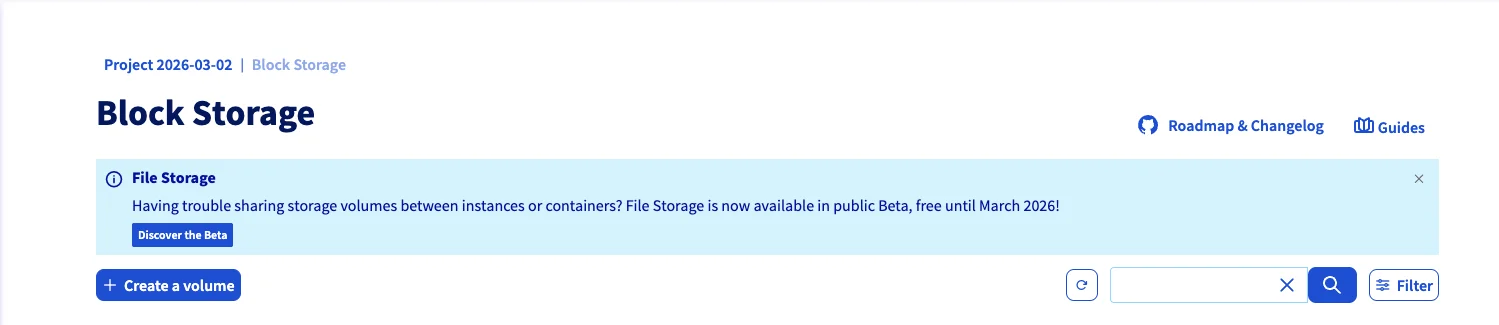
OVHcloud does offer a File Storage service (NFS-based) that supports RWX, but it’s currently in beta and starts at 150 GiB minimum - which is overkill for many use cases.
In practice, if you need RWX today, you’ll need to either:
- Provision an NFS endpoint alongside your cluster and wire it into your OpenTofu repo (what I ended up doing)
- Use the File Storage beta if 150 GiB minimum is acceptable
- Rethink your architecture to avoid shared volumes entirely (use S3 for shared state instead)
This is the kind of thing you need to know before you start - discovering it after deploying your app is not fun.
No Built-in VPN
Unlike AWS (PrivateLink) or Azure (Private Endpoints), OVHcloud doesn’t offer a managed VPN solution for Kubernetes API access. You get IP restrictions instead - which works well in practice, but might not satisfy every security audit.
If you absolutely need VPN connectivity, you’d have to set up your own (WireGuard, OpenVPN) on an OVH instance within the vRack network. For my use case, the IP restrictions were perfectly fine.
The Setup: OpenTofu From Scratch
I’ve published the complete OpenTofu setup on GitHub. It’s a reference repo - not a production-ready module - but it gives you a working starting point. Here are the interesting parts.
Provider Configuration
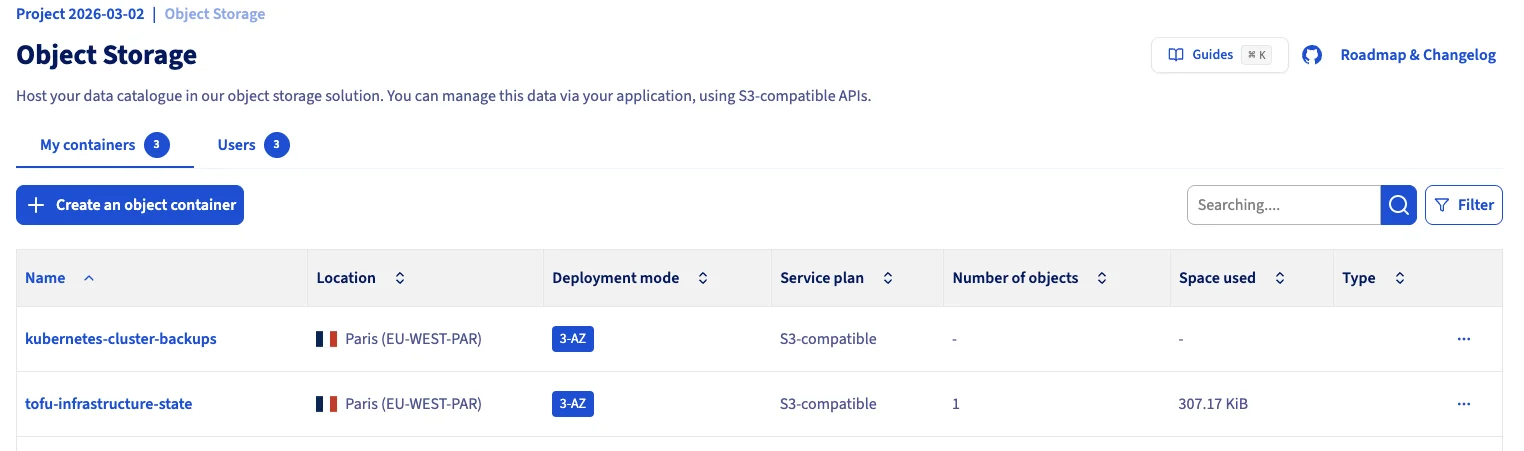
The OVH provider itself is straightforward (provider "ovh" {}), but the S3 backend for state storage needs some coaxing. OVH’s S3 isn’t fully AWS-compatible, so you need several skip_* flags:
terraform {
  required_version = ">= 1.6.0"

  backend "s3" {
    bucket = "tofu-infrastructure-state"
    key    = "terraform.tfstate"
    region = "eu-west-par"

    endpoints = {
      s3 = "https://s3.eu-west-par.io.cloud.ovh.net"
    }

    skip_credentials_validation = true
    skip_region_validation      = true
    skip_requesting_account_id  = true
    skip_metadata_api_check     = true
    skip_s3_checksum            = true
    use_path_style              = false
  }

  required_providers {
    ovh = {
      source  = "ovh/ovh"
      version = "~> 2.11.0"
    }
  }
}
One caveat: OVH’s S3 doesn’t support conditional writes (DynamoDB-style locking), so concurrent tofu apply runs could corrupt your state. For team setups, coordinate deployments or use a different locking mechanism.
The Kubernetes and Helm providers connect directly through the cluster’s kubeconfig attributes, so there’s no manual kubeconfig file handling:
provider "kubernetes" {
  host                   = ovh_cloud_project_kube.cluster.kubeconfig_attributes[0].host
  cluster_ca_certificate = base64decode(ovh_cloud_project_kube.cluster.kubeconfig_attributes[0].cluster_ca_certificate)
  client_certificate     = base64decode(ovh_cloud_project_kube.cluster.kubeconfig_attributes[0].client_certificate)
  client_key             = base64decode(ovh_cloud_project_kube.cluster.kubeconfig_attributes[0].client_key)
}
This is nice because the providers automatically get valid credentials once the cluster exists - no tofu output -raw kubeconfig dance.
Networking
You need two subnets: one for nodes (no gateway, fully internal) and one for load balancers (with gateway, so they can route public traffic):
resource "ovh_cloud_project_network_private" "network" {
  service_name = var.ovh_cloud_project_id
  name         = "kubernetes-network"
  vlan_id      = 0
  regions      = [var.network_region]
}

resource "ovh_cloud_project_network_private_subnet" "nodes" {
  service_name = var.ovh_cloud_project_id
  network_id   = ovh_cloud_project_network_private.network.id
  region       = var.network_region
  network      = "10.0.0.0/24"
  start        = "10.0.0.50"
  end          = "10.0.0.200"
  dhcp         = true
  no_gateway   = true
}

resource "ovh_cloud_project_network_private_subnet" "loadbalancers" {
  service_name = var.ovh_cloud_project_id
  network_id   = ovh_cloud_project_network_private.network.id
  region       = var.network_region
  network      = "10.0.1.0/24"
  start        = "10.0.1.50"
  end          = "10.0.1.200"
  dhcp         = true
  no_gateway   = false
}
Note the no_gateway = false on the load balancer subnet. I initially set both to no_gateway = true and spent an hour wondering why my Traefik LoadBalancer service was stuck in Pending. The load balancer needs a gateway on its subnet to route traffic to the internet - without it, OVH’s load balancer integration (Octavia under the hood) can’t attach a public IP.
Cluster and Node Pool
The cluster references both subnets. The private_network_id needs the OpenStack ID (not the OVH ID), hence the tolist(...) extraction:
resource "ovh_cloud_project_kube" "cluster" {
  service_name = var.ovh_cloud_project_id
  name         = "kubernetes-cluster"
  region       = var.region
  version      = var.kube_version

  private_network_id = tolist(ovh_cloud_project_network_private.network.regions_attributes)[0].openstackid

  nodes_subnet_id          = ovh_cloud_project_network_private_subnet.nodes.id
  load_balancers_subnet_id = ovh_cloud_project_network_private_subnet.loadbalancers.id

  customization_apiserver {
    admissionplugins {
      enabled = ["NodeRestriction"]
    }
  }

  lifecycle {
    prevent_destroy = true
  }
}

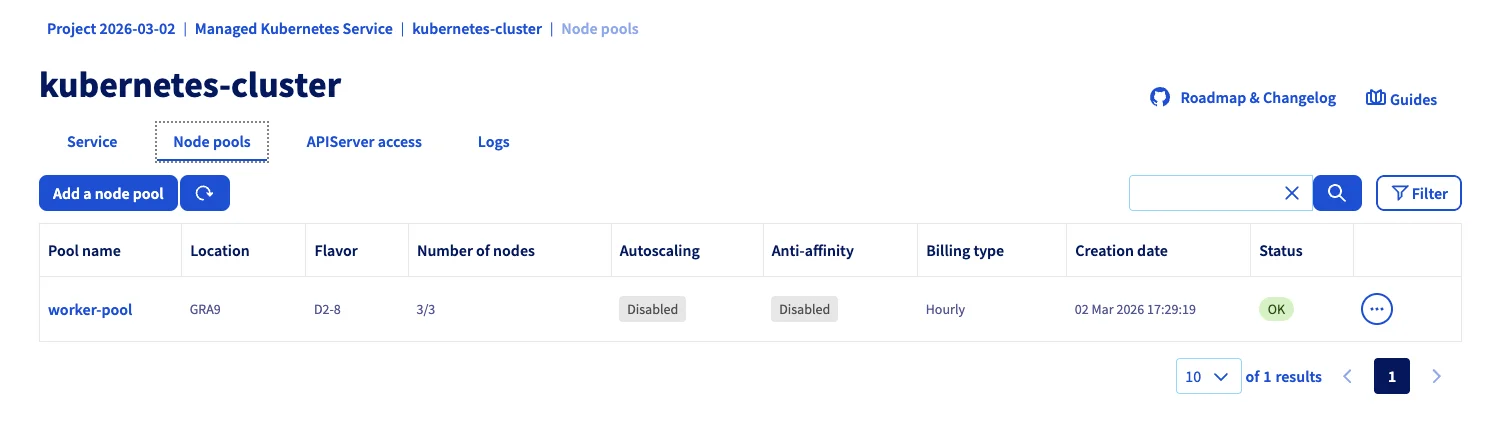
resource "ovh_cloud_project_kube_nodepool" "workers" {
  service_name = var.ovh_cloud_project_id
  kube_id      = ovh_cloud_project_kube.cluster.id
  name         = "worker-pool"
  flavor_name  = var.node_flavor

  desired_nodes = var.node_count
  min_nodes     = var.node_count
  max_nodes     = var.node_count
}
The prevent_destroy lifecycle rule is important - you don’t want an accidental tofu destroy to wipe your production cluster.
The IP Restriction Pattern
This is my favorite part of the setup. Instead of managing a VPN, we lock down the API endpoint with a deploy script that auto-detects your current IP:
#!/usr/bin/env bash
set -euo pipefail

source .env

MY_IP=$(curl -sf --max-time 10 https://ifconfig.me) || {
  echo "ERROR: Could not determine public IP" >&2
  exit 1
}
MY_IP="$MY_IP/32"
export TF_VAR_allowed_ips="[\"$MY_IP\"]"

echo "Deploying with API access restricted to: $MY_IP"

tofu plan -out=tfplan
read -p "Apply this plan? [y/N] " confirm
if [[ "$confirm" =~ ^[Yy]$ ]]; then
  tofu apply tfplan
fi
rm -f tfplan
The corresponding Terraform resource is minimal:
resource "ovh_cloud_project_kube_iprestrictions" "api_acl" {
  service_name = var.ovh_cloud_project_id
  kube_id      = ovh_cloud_project_kube.cluster.id
  ips          = var.allowed_ips
}
Every time you run deploy.sh, the API is automatically locked to your current IP. Change offices, switch to a coffee shop - just re-run the script. No VPN client to manage.
A word on the limitations of this approach: this works well for a solo operator or a small team with static IPs. For larger teams, you’d add your office CIDRs and CI/CD runner IPs to the allowed_ips list. And if you lock yourself out (your IP changes and you can’t reach the API to update the restriction)? You can always update the IP restrictions through the OVH console or API directly - you’re not fully locked out, just locked out of kubectl.
What You Get
After tofu apply, you have:
- A managed Kubernetes cluster with private networking
- 3 worker nodes with NVMe storage
- API endpoint locked to your IP
- ArgoCD deployed and connected to your GitOps repo
- Velero backups configured with OVH S3
- S3 buckets for state and backups with versioning enabled
Who Is OVHcloud Kubernetes For?
Great fit for:
- European companies needing EU data sovereignty
- Teams comfortable with Infrastructure as Code
- Production workloads that need reliable, no-nonsense Kubernetes
- Cost-conscious teams (free control plane, competitive node pricing)
- Projects where IP-based API restrictions are sufficient security
Consider alternatives if:
- You need RWX volumes heavily (NFS setup adds complexity)
- You require managed VPN connectivity
- Your team prefers ClickOps over IaC (the console works but IaC is where OVH shines)
- You want a self-hosted approach on cheaper VMs (see our Hetzner + Talos guide)
Pros & Cons
Mature and reliable
Cluster provisioning works smoothly. Nodes come up, workloads run, no surprises.
Free control plane
You only pay for worker nodes and infrastructure. Competitive pricing overall.
Real private networking
vRack gives you proper network isolation with separate subnets for nodes and LBs.
API IP restrictions
First-class Terraform resource for locking down API access. Pragmatic security.
Excellent IaC support
The OVH Terraform provider is well-maintained and covers the full lifecycle.
LUKS-encrypted storage
Built-in encrypted storage classes for compliance workloads.
Free egress in EU/NA
No outbound traffic charges in European and North American regions. Including Object Storage since Jan 2026.
$200 free credit
Enough to run a 3-node HA cluster for about a month at no cost.
No RWX volumes out of the box
All storage classes are RWO only. NFS File Storage is in beta with 150 GiB minimum.
No managed VPN
IP restrictions work well, but no PrivateLink/VPN equivalent for strict compliance.
OpenStack complexity leaks through
vRack subnet setup (the gateway gotcha) and OpenStack ID extraction show the underpinnings.
Verdict
OVHcloud’s Managed Kubernetes is quietly one of the best options in Europe. It doesn’t have the marketing budget of the hyperscalers, but it delivers where it matters: reliability, proper networking, and a mature Terraform provider.
The free control plane, free egress, vRack private networking, API IP restrictions, and LUKS-encrypted storage classes put it ahead of many European competitors I’ve tested. The cluster came up without issues, workloads have been running reliably, and the OpenTofu automation story is solid. And with $200 free credit, you can try all of this before committing a cent.
The main gap - no RWX volumes out of the box - is real but workable. For most teams deploying in the EU who want something between “DIY Talos on Hetzner” and “full hyperscaler lock-in,” OVHcloud hits a sweet spot of maturity, pricing, and European data sovereignty.
My overall impression: this is a provider that’s been doing this for a while, and it shows. It’s not flashy, but it works. And in production, “it works” is exactly what you want.
Have you tried OVHcloud Kubernetes? I’d love to hear your experience. The full OpenTofu code is on GitHub. Find me at mixxor.
Pricing data: March 2026. Compare current OVHcloud pricing | Infomaniak review | All provider comparisons
Find the Best Kubernetes Pricing
Configure your exact cluster requirements and compare real-time prices across 25+ European providers.
Open Calculator